
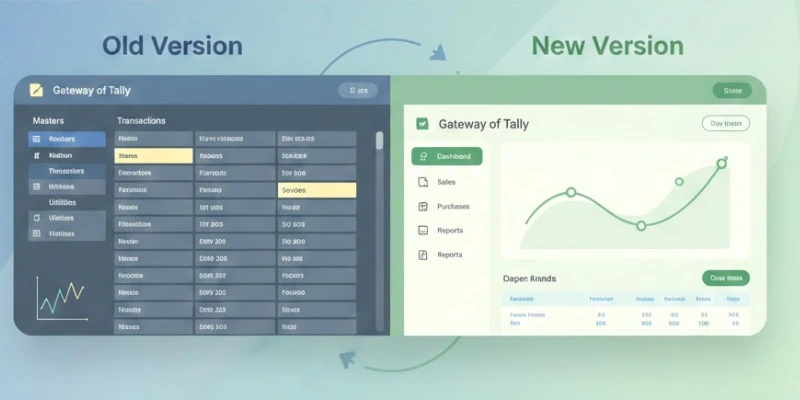
Understanding accounting software upgrades is essential for learners who want to stay relevant in a competitive job market. Many beginners find themselves unsure whether they should learn Tally Prime or continue with the older version. With structured learning approaches similar to those followed in Tally Course in Trichy, it becomes easier to understand how each version works and which one aligns better with modern accounting needs.
User-Friendly Interface Improvements
Tally Prime introduces a cleaner and more intuitive interface compared to Tally ERP 9. Navigation feels simpler, with menus arranged in a more accessible format. This is helpful for beginners who might find the traditional layout overwhelming. The redesigned look also improves productivity because users spend less time searching for essential features. Visual clarity contributes significantly to smoother learning and faster understanding of functions.
Enhanced Navigation and Speed
One of the biggest differences between the two versions is how quickly users can move between tasks. Tally Prime allows smoother transitions with its ‘Go To’ search bar, reducing the need to remember exact menu paths. This feature makes multitasking easier and helps both new learners and professionals manage entries faster. In structured learning environments, such as those emphasizing digital efficiency like Advanced Excel Training in Trichy, features like these help learners build confidence in handling multiple operations effectively.
Simplified Access to Reports
Tally Prime places important business reports upfront, making them accessible within fewer steps. Compared to Tally ERP 9, where users often navigated through multiple layers, the updated version offers a more direct approach. This improvement supports better decision-making because users can view financial data quickly. It also reduces the time spent switching between voucher entries and analysis screens. Such streamlined processes make a big difference during daily accounting tasks.
Better Multi-Tasking Capabilities
Tally ERP 9 often restricted users to one task at a time, but Tally Prime overcomes this by supporting smoother multitasking. You can open multiple reports, return to previous screens, and continue entering data without losing track. This flexibility improves workflow, especially for learners and professionals handling busy accounts. Such enhancements reflect real-world needs and help individuals adapt to modern business environments.
Improved Search and Shortcut Options
Tally Prime makes searching across the software much faster. The new universal search helps users locate ledgers, vouchers, reports, and settings instantly. For someone new to accounting, this reduces initial difficulty and builds a smoother learning curve. The shortcut system has also been simplified, making it easier to remember commands. This is particularly helpful when comparing old and new versions.
Advanced Data Management Features
Tally Prime strengthens data handling with more reliable backup, restore, and data synchronization features. Compared to Tally ERP 9, data migration is faster and safer, reducing risks of corruption or loss. These improvements also support businesses that operate across multiple locations. Exposure to such features helps learners stay prepared for modern career requirements, similar to the job-aligned learning paths seen in Tally Course in Erode, where understanding technology upgrades is essential.
Greater Flexibility in Reporting
Tally Prime offers customizable reports that allow users to adjust views, apply filters, and compare periods without switching screens repeatedly. This is a significant improvement over Tally ERP 9, where customization options were limited. The ability to tailor reports according to business needs supports better financial planning. It also helps learners understand how accounting tools can adapt to diverse company requirements.
Smoother Setup and Configuration
Setting up Tally Prime is much simpler than Tally ERP 9. The initial configuration requires fewer steps, and the settings menu is more organized. Users can activate features, manage security, or adjust tax settings without confusion. This ease of setup benefits beginners who may feel intimidated when working with accounting tools for the first time. Better configuration options also support long-term accuracy and compliance.
Improved Error Handling
Tally Prime guides users better when an error occurs by providing clearer messages and resolution paths. In Tally ERP 9, error prompts were often technical and hard to understand. The improved guidance reduces mistakes and boosts learner confidence. This is particularly useful during voucher entry, reconciliation, and financial adjustments. Better error communication ultimately enhances performance.
Enhanced User Experience for Daily Operations
Daily tasks like sales, purchase, payment, and receipt entries feel smoother in Tally Prime due to improved screen flow. The software intelligently remembers previous actions, making repetitive tasks quicker. This matters in busy business settings where every minute counts. For learners, it means faster familiarity and better performance during practice sessions.
Building Future-Ready Accounting Skills
Understanding the differences between Tally Prime and Tally ERP 9 helps learners choose the right path and build stronger accounting foundations. As software continues to evolve, staying updated with the latest tools becomes essential for long-term career growth. Structured learning environments such as Advanced Excel Training in Erode can further support learners by improving their data-handling abilities and preparing them for modern business expectations with clarity and confidence.
Also Check: How Tally ERP 9 Help In The Business Sector